Reading on your phone? Send it to your laptop.
You'll get the guide and every prompt in one email.
Guide 030
Build your first agent with the Claude Agent SDK
You need
- Node.js 18 or newer. Check with `node --version`. Python 3.10 or newer also works, and the step on setup shows how.
- A Claude Console account at platform.claude.com with an API key and some credit on it.
- Claude Code installed, so it can write the files for you.
- Some TypeScript. You'll read two short files.
Step 1 of 11
Know what the Agent SDK is
An agent is a program that plans its own steps to finish a task, calling tools that read files, run commands or edit code.
The Claude Agent SDK is Claude Code as a library for TypeScript and Python. It gives your own code the same tools, agent loop and context management that power Claude Code.
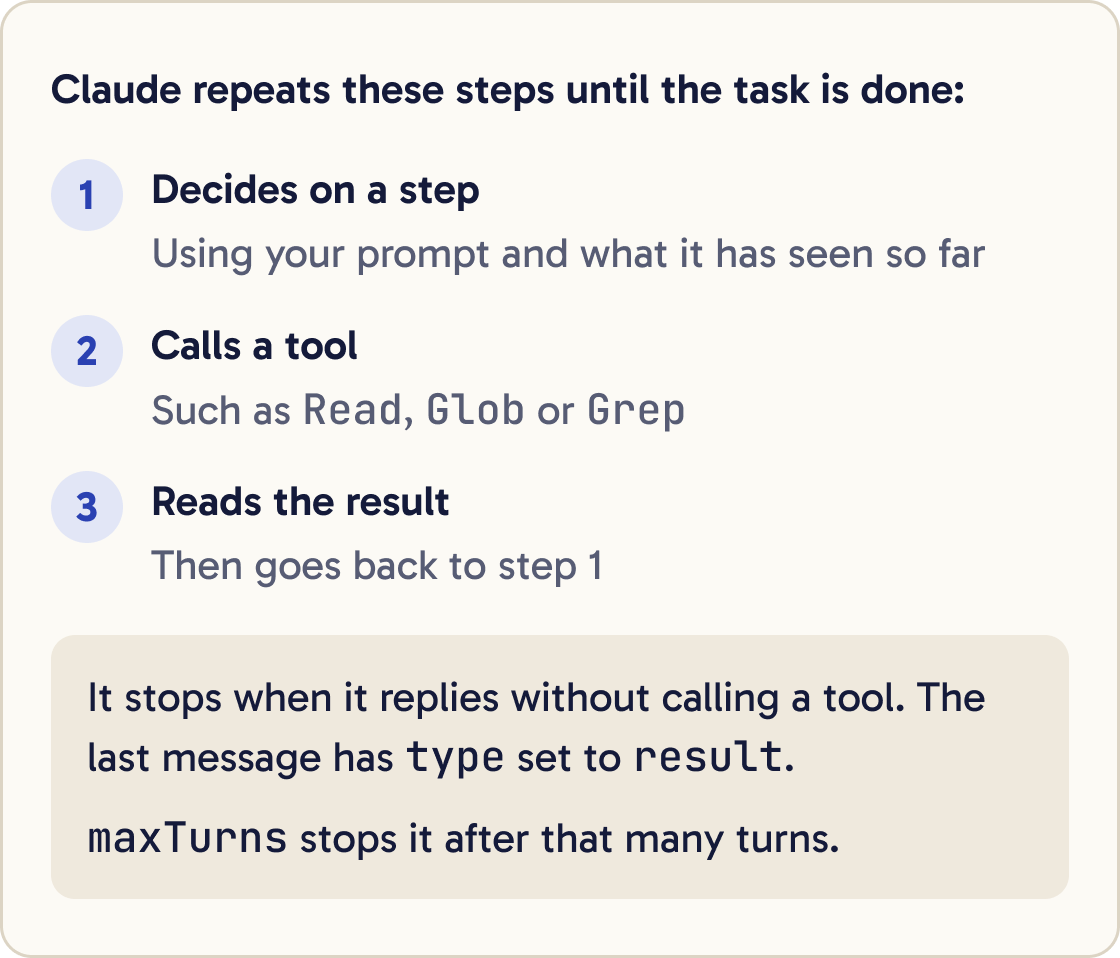
The agent loop is the cycle Claude repeats: it decides on a step, calls a tool, reads the result and decides again. It stops when it replies without calling a tool.
Use the Claude Code CLI to work with Claude yourself in the terminal. Use the Agent SDK to put that agent inside a script or app you run.
If you want to write the tool loop yourself, use the Claude API's client SDK. If you want Anthropic to host the agent, use Managed Agents.
Your agent gets Claude Code's built-in tools, such as Read, Edit, Bash, Glob, Grep and WebSearch. It can also use hooks, subagents, MCP servers, skills and sessions.
Did that work?
Still stuck? Send me a DM on Instagram at @maxbuilds.ai and I'll help.
Step 2 of 11
Get an API key and know the prices
Create an API key in the Claude Console at platform.claude.com. API use is billed per token from your Console credit. A token is a small chunk of text, often part of a word.
These are the prices per million tokens on Anthropic's pricing page on 19 October 2026. Claude Opus 5.5 costs $4 for input and $20 for output. Claude Sonnet 5.5 costs $2 and $10. Claude Haiku 5.5 costs $0.10 and $0.50 for prompts up to 100,000 tokens.
Everything the agent reads counts as input, including every file it opens. Everything it writes counts as output.
Set the key in the terminal window you'll run the agent from:
export ANTHROPIC_API_KEY=your-api-key
The SDK reads the key from the environment. It doesn't load .env files by itself.
Step 3 of 11
Set up the project
Make a folder and install the SDK:
mkdir my-agent && cd my-agent
npm init -y
npm pkg set type=module
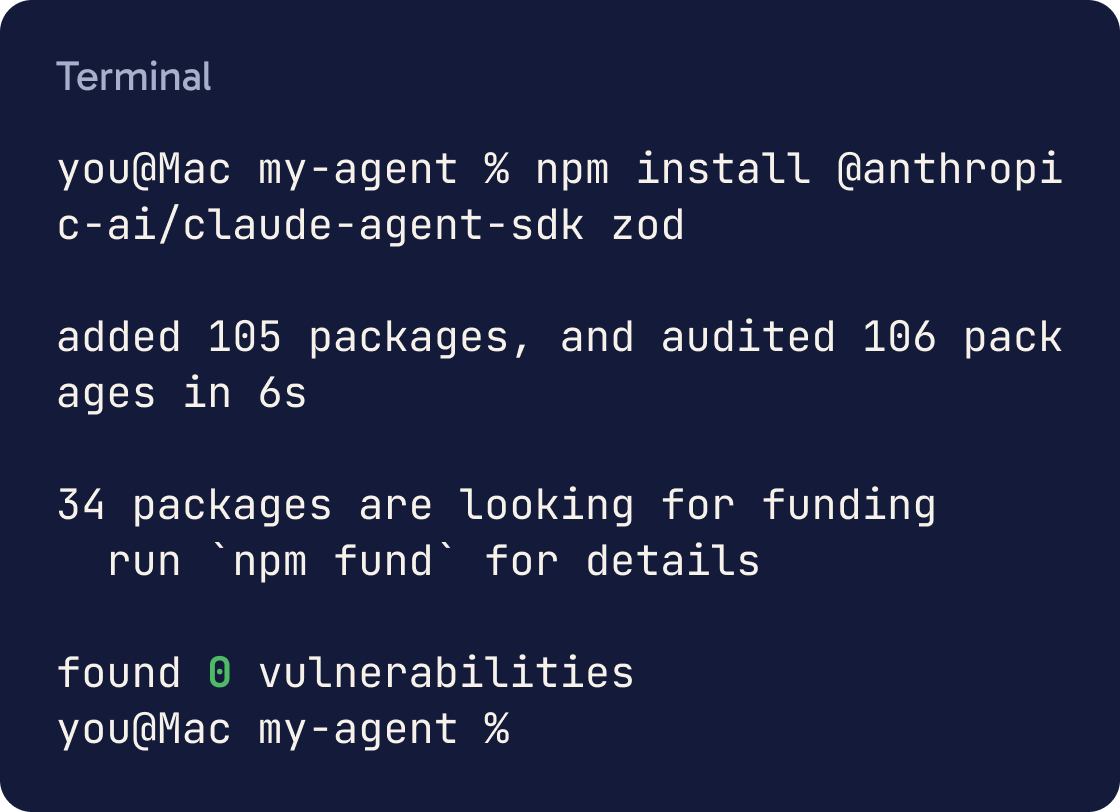
npm install @anthropic-ai/claude-agent-sdk zod
npm install --save-dev tsx
type=module lets your script use await at the top level. tsx runs TypeScript files directly. The SDK lists Zod as a peer dependency, which means you install it yourself. The SDK was at version 0.3.303 on 19 October 2026.
The SDK bundles its own Claude Code binary, so most installs need nothing else.
For Python, make a virtual environment and install the package instead:
python3 -m venv .venv && source .venv/bin/activate && pip install claude-agent-sdk
Step 4 of 11
Write the smallest agent
Start claude in the my-agent folder and paste the prompt below. It writes first.ts.
Create a file called first.ts in this folder with exactly this content. Don't change anything, then show me the file:

import { query } from "@anthropic-ai/claude-agent-sdk";

for await (const message of query({
  prompt: "List the files in this folder and say in two sentences what this project is.",
  options: {
    model: "claude-opus-5-5",
    allowedTools: ["Read", "Glob", "Grep"],
    maxTurns: 8,
  },
})) {
  if (message.type === "result") {
    console.log(message.subtype === "success" ? message.result : `Stopped: ${message.subtype}`);
  }
}
query starts the agent loop. You give it a prompt, which is the task, and options, which set the rules.
allowedTools pre-approves Read, Glob and Grep, so this agent can look at files and search them. maxTurns stops it after 8 turns. A turn is one round of Claude calling tools and reading the results.
query returns messages one at a time as Claude works. The last one has type set to result. Its subtype is success, or the reason it stopped.
Step 5 of 11
Run it
Run the agent from the my-agent folder:
npx tsx first.ts
After a short wait you'll see two sentences about the folder. That's a complete agent run.
Each run is a fresh conversation, so the agent remembers nothing from the last run unless you use sessions.
Step 6 of 11
Add one custom tool
A custom tool lets the agent do something your code knows how to do. This one looks up the latest version of an npm package from the npm registry.
Create a file called agent.ts in this folder with exactly this content. Don't change anything, then show me the file:

import { query, tool, createSdkMcpServer } from "@anthropic-ai/claude-agent-sdk";
import { z } from "zod";

const latestVersion = tool(
  "latest_version",
  "Get the latest published version of an npm package",
  { name: z.string().describe("The npm package name, for example zod") },
  async ({ name }) => {
    const res = await fetch(`https://registry.npmjs.org/${encodeURIComponent(name)}/latest`);
    if (!res.ok) {
      return { content: [{ type: "text", text: `No npm package called ${name}` }], isError: true };
    }
    const data: any = await res.json();
    return { content: [{ type: "text", text: `${name} latest version: ${data.version}` }] };
  }
);

const npmServer = createSdkMcpServer({ name: "npm", version: "1.0.0", tools: [latestVersion] });

try {
  for await (const message of query({
    prompt: "Read package.json. For each dependency, check its latest version with the latest_version tool. List any that are behind, with both versions.",
    options: {
      model: "claude-opus-5-5",
      mcpServers: { npm: npmServer },
      allowedTools: ["Read", "Glob", "mcp__npm__latest_version"],
      disallowedTools: ["Bash"],
      permissionMode: "dontAsk",
      maxTurns: 20,
      maxBudgetUsd: 0.5,
    },
  })) {
    if (message.type === "result") {
      console.log(message.subtype === "success" ? message.result : `Stopped: ${message.subtype}`);
      console.log(`Estimated cost: $${message.total_cost_usd.toFixed(4)}`);
    }
  }
} catch (error) {
  console.error("Agent run ended with an error:", error);
}
Paste the prompt below into Claude Code. It writes agent.ts.
tool() takes a name, a description, a Zod schema for the inputs and a handler. The handler is the function that runs when Claude calls the tool. It returns a content list that Claude reads as the answer.
createSdkMcpServer wraps the tool in an MCP server that runs inside your program. MCP is the Model Context Protocol, the standard Claude uses to call outside tools.
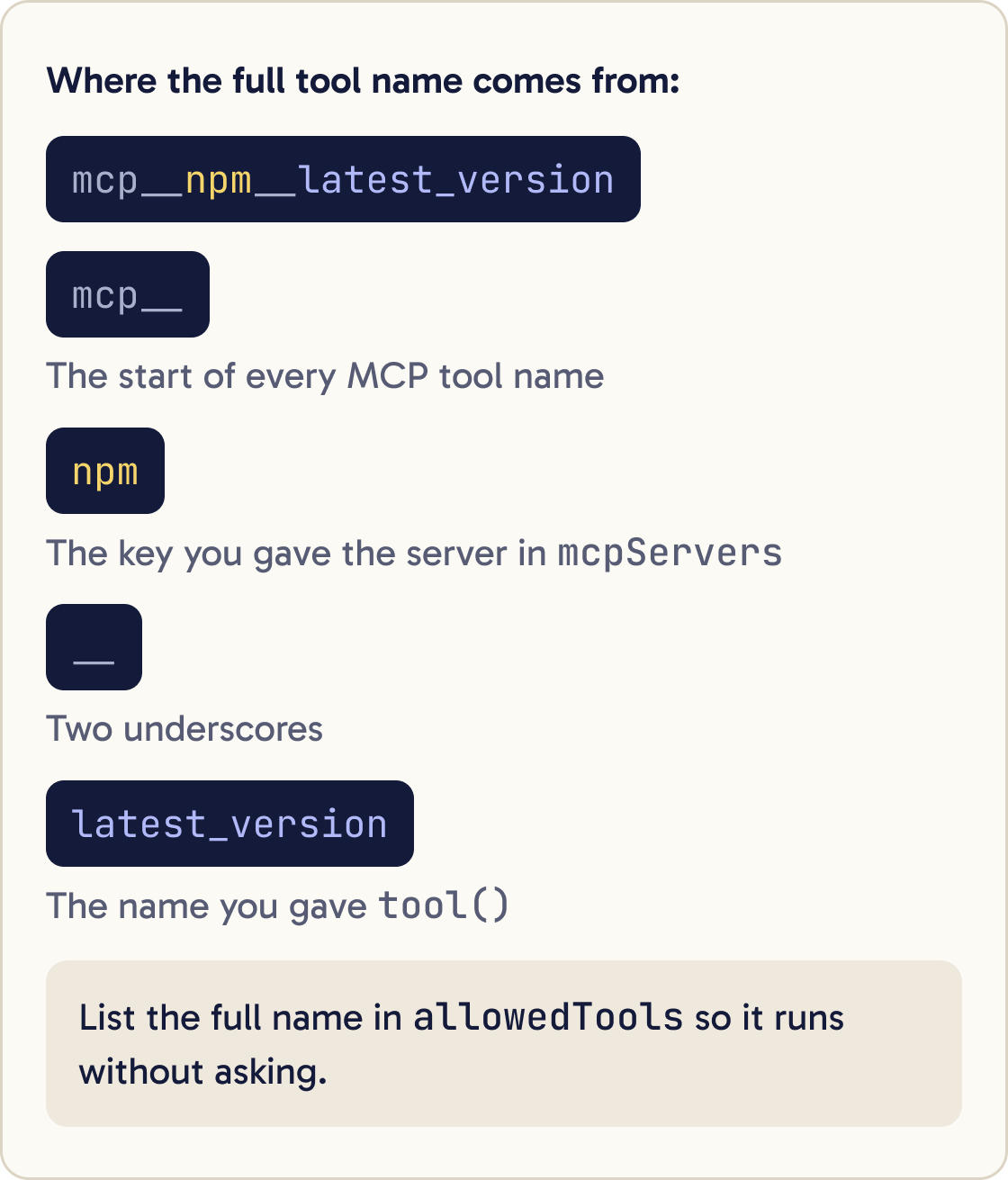
The tool's full name is mcp__npm__latest_version. That's mcp__, then the key you gave the server in mcpServers, then two underscores and the tool name. List that name in allowedTools so it runs without asking.
When the lookup fails, the handler returns isError: true with a plain message. Claude reads it and can try again or report the problem.
Step 7 of 11
Lock down what it may do
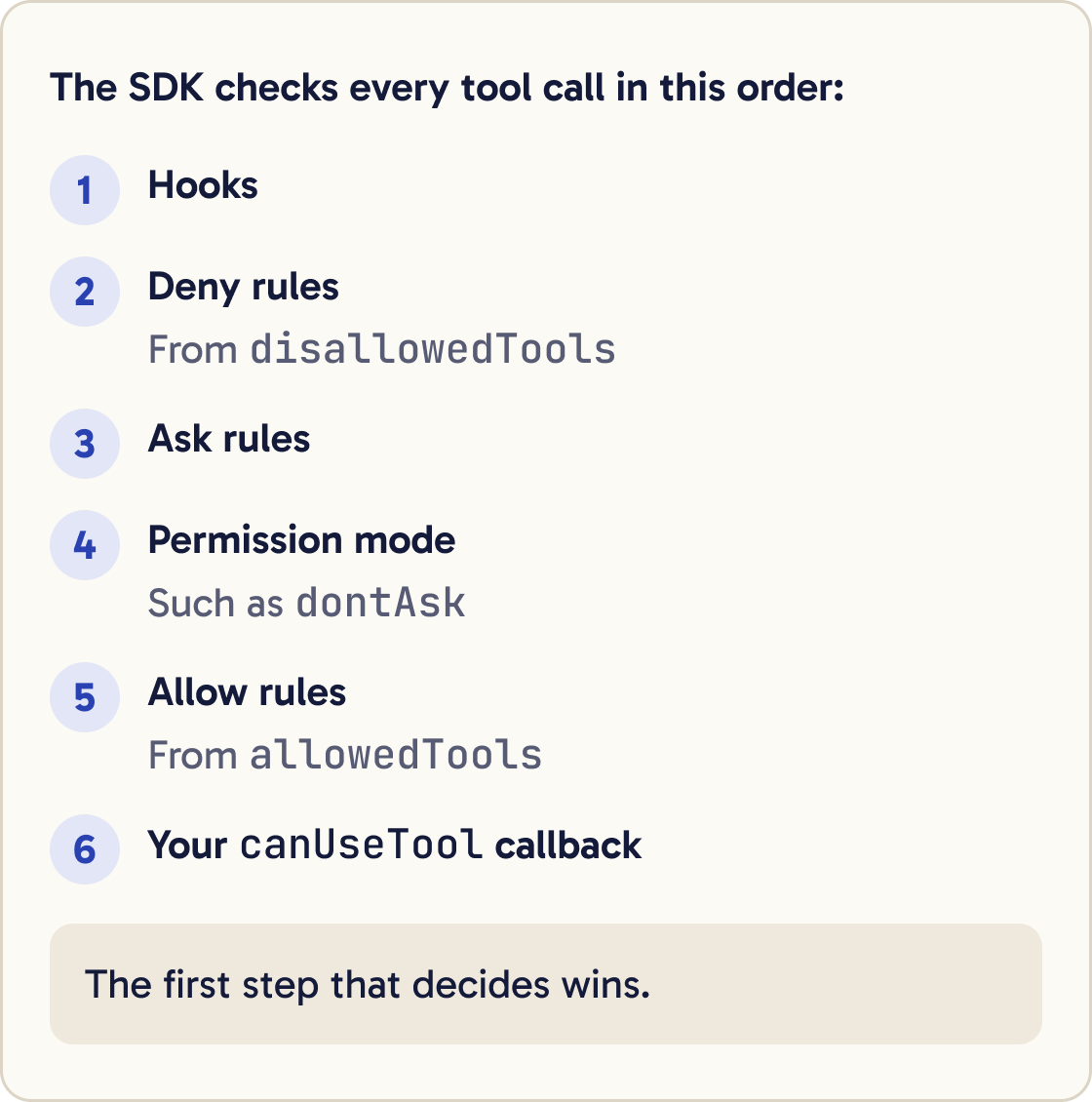
The SDK checks every tool call in this order: hooks, deny rules, ask rules, the permission mode, allow rules, then your canUseTool callback. The first step that decides wins.
allowedTools pre-approves the tools you list. Other tools still exist, and calls to them fall through to the permission mode.
disallowedTools: ["Bash"] removes Bash entirely. Claude doesn't see the tool and can't try it.
permissionMode: "dontAsk" denies any call that would need approval. Use it for agents that run unattended. Calls that need no approval still run, such as reading files inside the working folder.
The other modes are default, acceptEdits, bypassPermissions, plan and auto. acceptEdits approves file edits automatically. bypassPermissions approves almost everything, so keep it for throwaway sandboxes.
Step 8 of 11
Cap turns and spend
maxTurns caps turns, and maxBudgetUsd caps estimated spend in US dollars for the run. Both are off unless you set them.
When a run hits a cap, the result's subtype is error_max_turns or error_max_budget_usd. The SDK then throws an error, which is why agent.ts wraps the loop in try.
Don't set maxBudgetUsd to 0, because the run is rejected at start-up.
total_cost_usd on the result is an estimate worked out on your computer from a built-in price table. For your real bill, check the Usage page in the Claude Console.
Step 9 of 11
Run the agent with its tool
Run it in a folder that has a package.json with some dependencies. The my-agent folder works.
npx tsx agent.ts
You'll see a list of packages that are behind, or a note that all are current, then an estimated cost line.
Step 10 of 11
Choose a model
Set the model with the model option. The current IDs are claude-opus-5-5, claude-sonnet-5-5 and claude-haiku-5-5.
Start on Opus 5.5. Once the agent works, run the same task on Sonnet 5.5 and Haiku 5.5 and compare the answer and the cost line.
Keep the cheaper model only if its answers are still right.
Step 11 of 11
Know what it loads from your machine
By default the SDK loads skills, commands, CLAUDE.md files and settings from the project's .claude folder and from ~/.claude, the same as Claude Code.
I want to build an agent with the Claude Agent SDK in TypeScript that [WHAT IT SHOULD DO]. Before writing code, ask me questions one at a time until you know: which built-in tools it needs, which custom tools it needs, what it must never do, and how it will run (on my laptop, on a schedule or in an app). Then propose the options object with allowedTools, disallowedTools, permissionMode, maxTurns and maxBudgetUsd, and explain each choice in one line. Tell me if a plain script would do the job better than an agent.Your personal Claude Code setup can change how your agent behaves. Set settingSources to choose which of user, project and local load.
Before you run an agent on a server or for other people, read the official Hosting and Securely deploying AI agents pages. They cover isolation, credentials and network limits.
Did that work?
Still stuck? Send me a DM on Instagram at @maxbuilds.ai and I'll help.
Common mistakes
- Using `bypassPermissions` and expecting `allowedTools` to limit it. It doesn't, so block tools with `disallowedTools`.
- Running an agent in a loop with no `maxTurns` or `maxBudgetUsd`.
- Treating `total_cost_usd` as your bill. It's an estimate, so check the Console Usage page.
- Putting the API key in code or a committed file. Set it as an environment variable.
- Forgetting to install `zod` alongside the SDK.
- Misspelling the `mcp__server__tool` name in `allowedTools`, so the tool is denied in `dontAsk` mode.
Want the next guide?
I'll email you each new guide as I share it, with new tutorials and prompts too.