Reading on your phone? Send it to your laptop.
You'll get the guide and every prompt in one email.
Guide 021
Plan, spec, then build: keep Claude Code on the plan
You need
- Claude Code installed and signed in on a paid plan (Pro, Max, Team or Enterprise) or a Claude Console account.
- A project folder that uses git, with at least one commit.
- A feature you want to build that touches more than one file. Small fixes don't need this process.
Step 1 of 14
Know when a plan is worth it
A spec is a short document that says what you're building, what you're leaving out, and how you'll know it works. A plan is the ordered list of tasks that gets you there.
Anthropic's best practices say planning helps most when you're unsure of the approach, when a change touches several files, or when you don't know the code well.
If you could describe the change in one sentence, skip the plan and ask Claude to do it directly. Fixing a typo or renaming a variable doesn't need a spec.
Did that work?
Still stuck? Send me a DM on Instagram at @maxbuilds.ai and I'll help.
Step 2 of 14
Write a three line brief
Write three lines in a notes app before you open Claude Code. Line one says what the feature does, line two says who uses it, and line three says what you'll see when it works.
For example: a booking form for my site. Visitors use it to request a call. When it works, I get an email with their name, date and message.
Claude needs nothing more to start. The next step fills in the rest.
Step 3 of 14
Let Claude interview you
Open your project folder in the terminal and start Claude Code with claude. Paste the prompt below with your brief in place of the brackets.
I want to build [YOUR THREE LINE BRIEF]. Interview me in detail using the AskUserQuestion tool. Ask about technical implementation, UI and UX, edge cases, concerns and tradeoffs. Don't ask obvious questions. Dig into the hard parts I might not have considered. Keep interviewing until we've covered everything, then write a complete spec to SPEC.md.Claude asks you multiple choice questions with its AskUserQuestion tool. Pick an option, or type your own answer in the Other row.
Answer honestly. If you don't know, say so and ask Claude what it recommends and why.
When the interview ends, Claude writes everything into a file called SPEC.md in your project folder.
Step 4 of 14
Check the spec has four parts
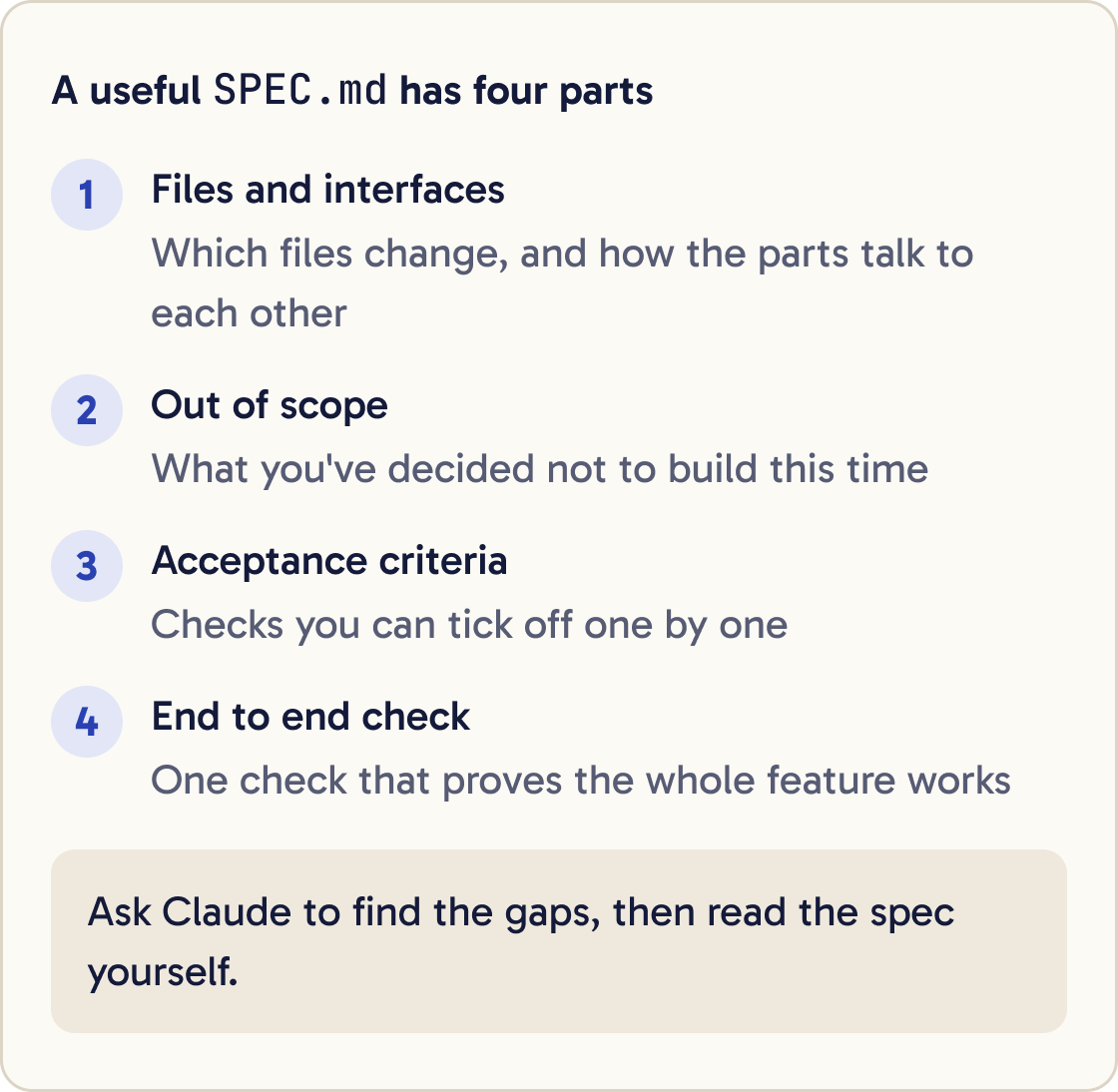
Open SPEC.md and read it. Anthropic's docs say the most useful specs name the files and interfaces involved, state what's out of scope, and end with a check that proves the feature works from start to finish.
Read SPEC.md. Check it has these four parts: 1) the files and interfaces involved, 2) a list of what is out of scope, 3) acceptance criteria I can check one by one, 4) a final end to end check that proves the whole feature works. List anything missing or vague, ask me about each gap, then update SPEC.md. Don't write any code.An interface is the way two parts of your code talk to each other, such as a function name and what it takes in. Out of scope means the things you've decided not to build this time.
Ask Claude to check the spec against the four parts below and fix any gaps. Read the result yourself before you move on.
Step 5 of 14
Commit the spec
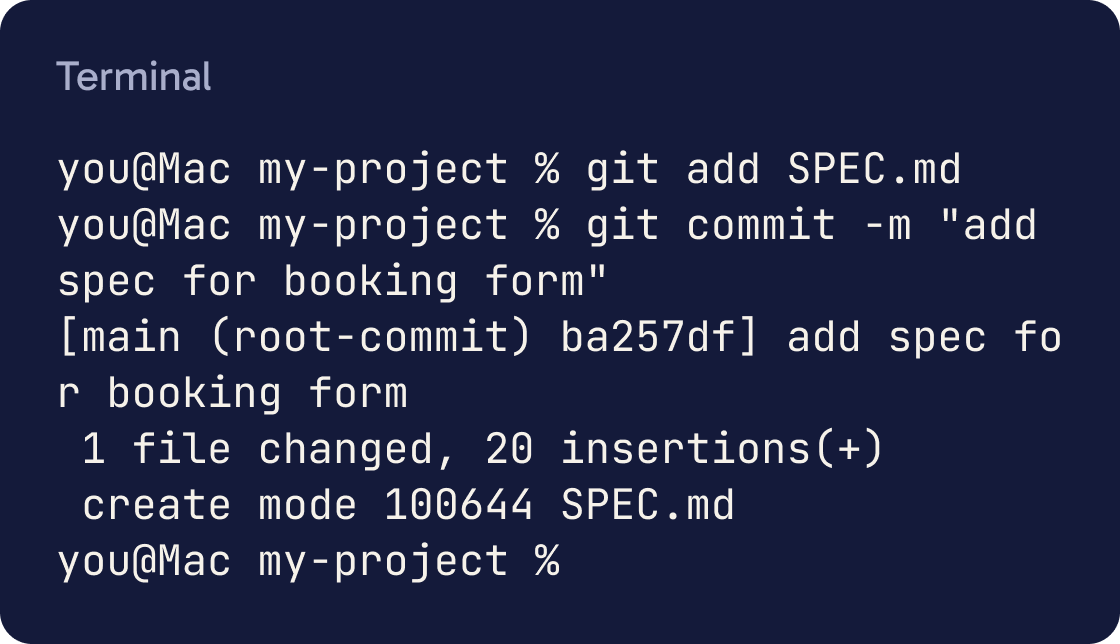
Save the spec in git so you have a fixed version to build against. Run these in the terminal, or ask Claude to run them:
git add SPEC.md
git commit -m "add spec for booking form"
Git prints a line with the commit message. If the plan changes later, git diff SPEC.md shows exactly what changed.
Step 6 of 14
Start a fresh session
Anthropic recommends building in a new session once the spec is done. The interview filled Claude's context window with questions and answers, and a fresh session starts clean.
Your context window is everything Claude holds in mind during a conversation: messages, files it read and command output. It fills up, and Claude works less well as it gets full.
Type /clear to reset the conversation, or exit and run claude again. Your files stay exactly as they are.
Step 7 of 14
Turn on plan mode
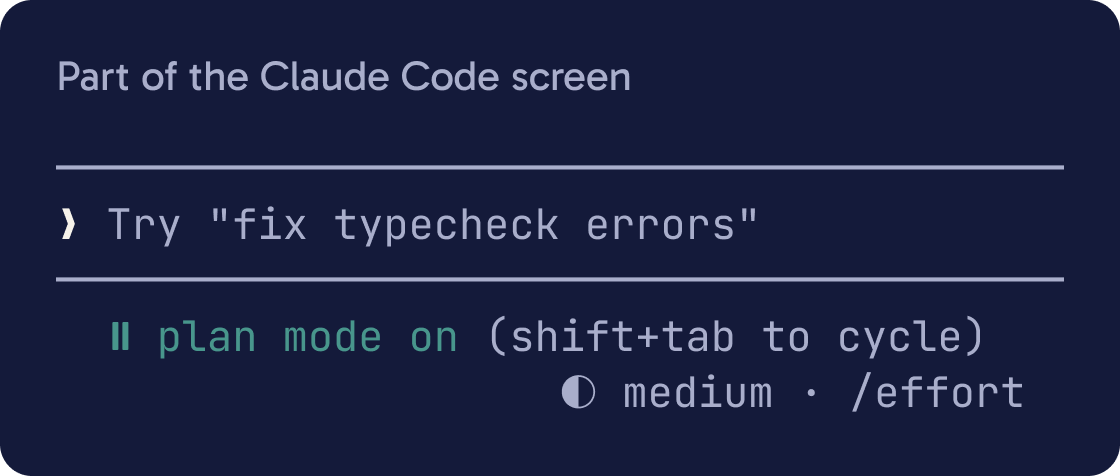
Plan mode lets Claude read files and propose a plan without editing your code. Edits stay blocked until you approve the plan.
Press Shift+Tab until the status bar under the prompt shows ⏸ plan mode on. You can also start a session in plan mode:
claude --permission-mode plan
For a single message, start the prompt with /plan. Press Shift+Tab again to leave plan mode without approving anything.
Step 8 of 14
Ask for small tasks with checks
In plan mode, ask Claude to break the spec into tasks. Each task should be small enough to review in one sitting and should come with a check.
Read SPEC.md and the code it mentions. Make a plan that splits the work into small numbered tasks. For each task give: what changes, which files, and a check that proves it works (a test to run, a command that must succeed, or something I can see in the browser). Order the tasks so the project still works after each one. Put anything risky or unclear at the top as a question for me.A check is something that gives a clear pass or fail: a test, a command that must succeed, or a page that must show a specific thing. Anthropic's best practices put this first, because Claude can run the check and fix its own mistakes.
Ask for the tasks in order, so each one builds on the last and leaves the project working.
Step 9 of 14
Edit and approve the plan
When the plan is ready, Claude shows it and asks how to go ahead. You'll see Yes, and use auto mode, Yes, manually approve edits and No, keep planning.
Press Ctrl+G to change the plan yourself. It opens the plan in your text editor so you can edit it before Claude starts.
Choose No, keep planning if anything is wrong, and tell Claude what to change. When you're happy, pick Yes, manually approve edits so you see each change as it happens.
Claude saves plan files in ~/.claude/plans/ by default. The ~ means your home folder.
Step 10 of 14
Save the task list in your project
Ask Claude to copy the approved task list into a file called PLAN.md in your project, with a checkbox next to each task. You and Claude then have one place to track progress across sessions.
Write the approved plan to PLAN.md as a checklist. Each task gets a checkbox, its files, and its check. Add an empty section at the bottom called Later for ideas that are out of scope. Then commit PLAN.md with the message "add build plan".To make plan mode save every plan inside the project, add this to .claude/settings.json:
{ "plansDirectory": "./plans" }
Claude Code then writes plans to a plans folder in your project. The path must stay inside your project folder.
Step 11 of 14
Build one task at a time
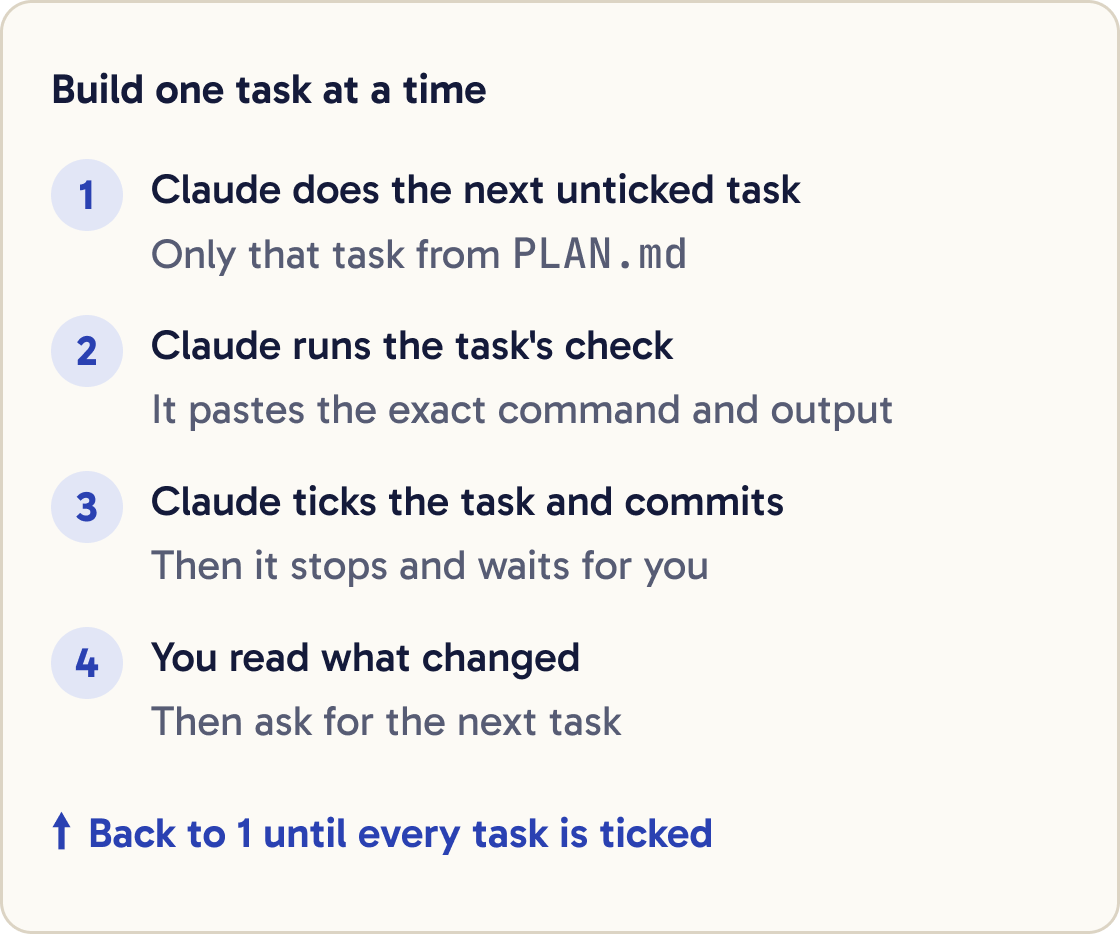
Ask Claude to do one task, run its check, show you the result and stop. Read what changed before you start the next one.
Read PLAN.md. Do the first unticked task only. When you're done, run its check and paste the exact command and its output. If the check passes, tick the task in PLAN.md and commit with a short message naming the task. Then stop and wait for me.Commit after each task. If a later task goes wrong, you can go back to the last good commit.
Ask for evidence. Anthropic's docs say to have Claude show the command it ran and what it returned, because reviewing that is faster than checking it all yourself.
Step 12 of 14
Keep Claude on the plan
Claude sometimes spots something nearby and starts fixing it. That's called scope creep, and it makes changes harder to review.
Add this rule to CLAUDE.md under a heading called Workflow: "When PLAN.md exists, work on one task at a time in order. Don't change files the task doesn't name. Put new ideas in the Later section of PLAN.md and keep going." Keep the rest of CLAUDE.md as it is.Add a short rule to your CLAUDE.md file so every session follows it. CLAUDE.md is the file Claude reads at the start of every conversation.
If Claude drifts, press Esc to stop it. Press Esc twice or type /rewind to go back to an earlier point in the conversation and code.
Anthropic's advice is that if you've corrected Claude more than twice on the same thing, type /clear and start again with a better prompt.
Step 13 of 14
Pick up where you left off
Run claude --continue in your project folder to resume your last conversation. Run claude --resume to choose from a list.
Read SPEC.md, PLAN.md and the last 10 commits in git log. Tell me which tasks are done, which task is next, and anything that looks out of step with the spec. Don't change anything yet.For a clean start, open a new session and ask Claude to read the spec, the plan and the git history. The files hold everything it needs.
To let Claude work through the list on its own, set a goal. /goal takes a condition, and a separate model checks it after every turn until it's met:
/goal every task in PLAN.md is ticked and the final check in SPEC.md passes
Step 14 of 14
Review the finished work against the spec
When every task is ticked, have a fresh reviewer check the work. A subagent is a helper Claude starts with its own clean context, so it judges the result without the reasoning that produced it.
Use a subagent to review all changes since the commit that added SPEC.md. Check that every acceptance criterion in SPEC.md is met, the edge cases listed have tests, and nothing outside the spec's scope changed. Report only gaps that affect correctness or the spec. Skip style preferences. Then run the final end to end check from SPEC.md and paste its output.Tell it to report only gaps that affect correctness or the spec. Anthropic warns that a reviewer asked to find gaps will usually report some, even when the work is sound, and chasing every one adds code you don't need.
Add the real gaps as new tasks in PLAN.md and fix them with the same one task at a time loop.
Did that work?
Still stuck? Send me a DM on Instagram at @maxbuilds.ai and I'll help.
Common mistakes
- Planning a one line change. If you can describe it in one sentence, ask Claude to do it directly.
- Building in the same session as the interview. Start fresh with `/clear` so the build has a clean context.
- Tasks without checks. Without a pass or fail signal, Claude stops when the work looks done, and you become the only check.
- Letting Claude do every task in one go before you trust the checks. Do one, review, commit, then the next.
- Correcting the same mistake again and again in one long session. After two corrections, type `/clear` and write a sharper prompt.
- Keeping the spec only in the chat. Save it as `SPEC.md` and commit it, so every session can read it.
Want the next guide?
I'll email you each new guide as I share it, with new tutorials and prompts too.